
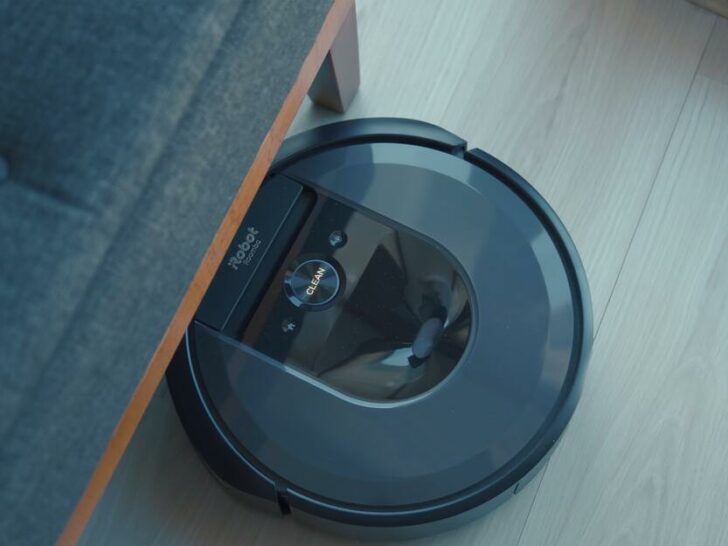
iRobot has been a leading manufacturer of home cleaning robots for more than two decades.
The company offers a wide range of products, including robot vacuums, mops, and pool cleaners, that are designed to make cleaning easier and more convenient for users.
iRobot with respect to consumer unequivocally held that a software vendor has breached an express warranty.
To ensure the satisfaction of their customers, iRobot offers a warranty on their products.
In this article, I’ll take a closer look at the iRobot warranty, including what it covers, how to make a claim, and more.

By continuing to use this website you agree to our Terms of Use. If you don't agree to our Terms, you are not allowed to continue using this website.
What is the iRobot Warranty?
The iRobot warranty is a guarantee that iRobot products will be free from defects in materials and workmanship for a specified period.
The exact length of the warranty varies depending on the product, but most iRobot products come with a one-year limited warranty.
The company offers warranties on its products to provide assurance to customers and ensure quality control.
Here is some useful information about the iRobot warranty:
| Aspect of Warranty | Information |
|---|---|
| Coverage | Defects in materials and workmanship |
| Warranty Period | 1-2 years (varies by product and country) |
| Valid for | Original purchaser only |
| Transferable | No |
| Exclusions | Damage caused by misuse, abuse, or neglect |
| Registration Required | Yes, within 60 days of purchase |
| Proof of Purchase Required | Yes |
| Consumable Items | Not covered (e.g., filters, brushes) |
| Customer Service | Contact iRobot for assistance with claims and repairs |


Image Credit: Reddit
How can you register for iRobot Warranty?
To take advantage of the iRobot warranty, it’s important to register your product with the company.
You can do this by visiting the iRobot registration page on the company’s website and filling out the online form.
Registration helps iRobot keep track of your product and warranty information, so they can provide you with better support if you need it.
All you gotta do is, connect the Wifi on your iRobot device and download the iRobot Home app.
One unique aspect of registering for the iRobot warranty is that it can be done either online or by mail.
When registering online, customers must provide their product information, date of purchase, and personal contact information, including their name, address, and email address. They will then receive a confirmation email with their warranty information.
It’s important to note that registration is required to receive warranty coverage along with the proof of the purchase when claiming warranty, so it’s recommended that customers complete this step as soon as possible after purchasing their iRobot product.
What does the iRobot Warranty cover?
The iRobot warranty covers defects in materials and workmanship that occur during normal use of the product. This includes problems like the vacuum motor not working, the battery not charging, or the robot not properly navigating your home.
However, it’s important to note that the warranty does not cover damage that occurs due to misuse or abuse of the product. This includes things like dropping the robot down the stairs, using the robot in wet environments, or exposing the robot to extreme temperatures.
Additionally, the warranty does not cover consumable items like filters, brushes, or mop pads. These items are expected to wear out over time and need to be replaced periodically.
One unique aspect of the iRobot warranty is that it covers shipping costs associated with repairing or replacing the product.
If the customer needs to send their iRobot product in for repair or replacement, iRobot will provide a prepaid shipping label to cover the cost of shipping the product to their service center.
Once the product has been repaired or replaced, iRobot will cover the cost of shipping it back to the customer. This provides additional convenience and cost savings for customers who need to use their warranty coverage.
How do you make a claim?
If your iRobot product is covered under warranty, the first step is to contact iRobot customer support. You can do this by phone, email, or live chat on the iRobot website.
Once you’ve contacted customer support, they’ll walk you through the process of making a claim. This may include troubleshooting steps to try to fix the problem yourself, or it may involve sending the product back to iRobot for repair or replacement.
If your product needs to be sent back to iRobot, they’ll provide you with a pre-paid shipping label, so you don’t have to pay for shipping yourself. Once they receive your product, they’ll repair or replace it as necessary and send it back to you.
It’s worth noting that iRobot does not offer refunds or exchanges for products that are covered under warranty.
However, if your product is no longer under warranty, you may be able to purchase a new product at a discounted price through iRobot’s loyalty program.
Here are some dos and don’ts to keep in mind when making a warranty claim for iRobot products:
| Do | Don’t |
|---|---|
| Register your iRobot product within 60 days of purchase to activate your warranty coverage. | Attempt to repair your iRobot product yourself or take it to a third-party repair service, as this may void your warranty. |
| Contact iRobot’s customer service department as soon as possible if you experience any issues with your product. | Use your iRobot product for anything other than its intended purpose, as this may cause damage and void your warranty. |
| Provide proof of purchase (such as a receipt or invoice) when making a warranty claim. | Wait too long to make a warranty claim, as the warranty period may expire before you have a chance to file a claim. |


What are the limitations of the Warranty?
While the iRobot warranty covers defects in materials and workmanship, there are some limitations to what it covers.
For example, the warranty only applies to products that are purchased from authorized iRobot retailers. If you purchase a product from an unauthorized retailer, it may not be covered under warranty.
Additionally, the warranty is limited to the repair or replacement of the product itself. It doesn’t cover any other damages or losses that may occur as during the course of usage of the product.
Finally, the warranty is only valid for a limited period. Once the warranty expires, you are responsible for any repairs or replacements needed.
The warranty only covers iRobot products that are used for personal, non-commercial purposes. If the product is used for any commercial purpose, the warranty will be voided.
Look at the list of some of the iRobot products and their warranty period:
| Product Line | Product Coverage |
| Roomba Robot Vaccums | 1-year warranty |
| Brava Robot Mops | 1-year warranty |
| Coding Robot | 1-year warranty |
| iRobot Professional Robot | 1-2 year warranty (varies by model) |
Note: The warranty period may vary by region or country, and some products may have different warranty terms. It is always recommended to check the iRobot website or contact their customer support for the most up-to-date and accurate information regarding warranty coverage.
iRobot Extended Warranty And Its Cost
If you’re interested in extending your iRobot warranty, the company offers an extended warranty program for some of its products.
The extended warranty period varies depending on the product, but it generally adds one to two years of coverage beyond the standard warranty period.
It also includes coverage for accidental damage, which isn’t covered by the standard warranty.
The cost of an extended warranty for an iRobot product varies depending on the product and the length of the warranty period.
For example, the extended warranty for the Roomba vacuum cleaner costs between $40 and $100, depending on the length of the warranty period. The extended warranty for the Terra lawn mower costs between $100 and $200, depending on the length of the warranty period.

Other FAQs
Can iRobot vacuums clean carpets?
Yes, iRobot vacuums can clean carpets. They use a combination of brushes and suction to pick up dirt and debris from both hard floors and carpets.
How long does Roombas Robot last?
Generally, a well-maintained Roomba can last for several years. However, it’s not uncommon for some users to report that their Roombas last for up to 5 or more years.
Can iRobot vacuums be controlled with a smartphone app?
Yes, most iRobot vacuums can be controlled with a smartphone app. The app allows you to start and stop cleaning, schedule cleanings, and monitor the cleaning progress.
Conclusion
- The iRobot warranty is a valuable tool for protecting your investment in an iRobot product.
- While it doesn’t cover everything, it does provide coverage for defects in materials and workmanship that occur during normal use.
- If you believe your iRobot product is covered under warranty, contact iRobot customer support to start the claims process. And if your product is no longer covered under warranty, there are still options available to get it working again.
- Overall, the iRobot warranty is a helpful resource for ensuring that your iRobot product is working properly and keeping your home clean.
- It’s important to read the terms and conditions of the warranty carefully to understand the limitations and exclusions of the coverage. If you have any questions or concerns, it’s recommended to contact iRobot’s customer service department for assistance.