
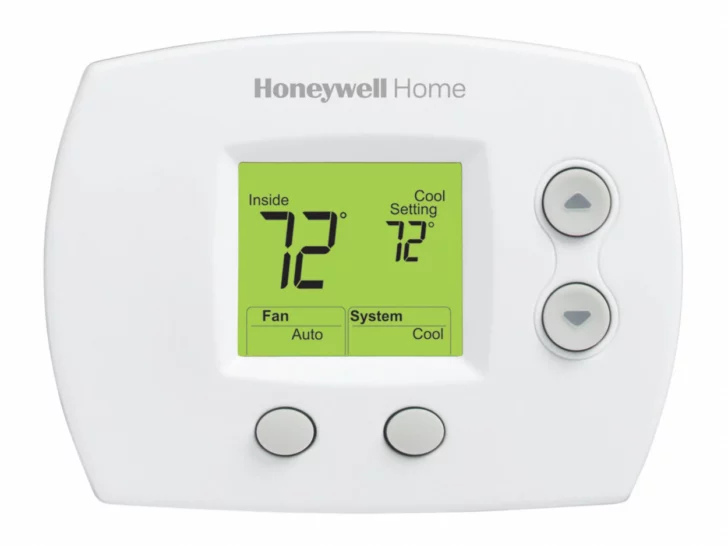
Is your room too cold or too hot? Is your Honeywell thermostat not giving you the comfort you need?
Well, don’t worry a simple solution to this problem is resetting your thermostat.
To reset a Honeywell Thermostat, there are a few different methods you can try depending on the model you have. Some Honeywell Thermostats have a reset button located on the device itself, while others require you to navigate through the menu settings to access the reset option.
In the next section of this article, we will walk you through the steps involved in resetting your Honeywell Thermostat using two different methods.
Whether you have a basic or advanced Honeywell Thermostat, you should be able to follow these steps with ease and get your system back in working order in no time.

By continuing to use this website you agree to our Terms of Use. If you don't agree to our Terms, you are not allowed to continue using this website.
Different Types Of Honeywell Thermostats
Okay so when it comes to Honeywell, it offers various types of thermostats depending on your preference.
| Types of thermostats | Explanation |
|---|---|
| Mechanical Thermostats | CT50K1010 |
| Programmable Thermostats | RTH2410B1019 |
| Smart Thermostats | TH6320WF2003 |
| Wireless Thermostats | RTH9585WF1004 |
- Mechanical Thermostats are the most basic type of Honeywell thermostat. They use a simple metal coil to measure the temperature and use a dial to adjust the temperature setting.
- Programmable Thermostats offer more advanced features than mechanical thermostats. They allow users to set different temperature settings for different times of the day, which can help save energy and money on heating and cooling bills.
- Smart Thermostats are the most advanced type of Honeywell thermostat. They can connect to Wi-Fi and be controlled remotely via a smartphone app. They also have features like learning the user’s preferred temperature settings and adjusting them automatically. Smart thermostats can also integrate with other smart home devices and be controlled by voice assistants like Alexa and Google Assistant.
- The Wireless Thermostats made by Honeywell enhance temperature regulation in a room by detecting the ambient air temperature and adapting the heating settings accordingly. This results in an efficient and automated system that conserves energy. These Honeywell Thermostats also come with built-in programmable timers, ensuring a comfortable home environment precisely when needed.
Fun Fact: Honeywell Thermostat have a feature named Smart Response which learns your preferences quickly and enables the temperature accordingly.


Steps To Reset A Honeywell Thermostat
- To reset a Honeywell Thermostat, the first step is to turn it off. Locate the power switch or circuit breaker for the thermostat and turn it off.
- Next, remove the thermostat cover. This may require a screwdriver or other tool to remove any screws or clips holding it in place.
- Once the cover is off, remove the batteries or disconnect the power source. This will vary depending on the model of the thermostat.
- Wait for a few minutes to allow any residual power to drain from the thermostat.
- After a few minutes, reinstall the batteries or reconnect the power source.
- Reattach the thermostat cover, making sure it is secured in place.
- Turn the thermostat back on by turning on the power switch or circuit breaker.
- Finally, adjust the temperature settings as desired. Test the thermostat to ensure it is functioning correctly and maintaining the desired temperature.
Frequently Asked Questions (FAQs)
Q: Why is my Honeywell Thermostat not turning on after I reset it?
If your Honeywell Thermostat is not turning on after resetting it, check the power source and make sure it is connected properly. If the power source is functioning correctly, try replacing the batteries or resetting the circuit breaker. If the issue persists, contact Honeywell customer service for assistance.
Q: How often should I reset my Honeywell Thermostat?
There is no set schedule for resetting a Honeywell Thermostat. Resetting should only be done when necessary, such as when troubleshooting technical issues or changing temperature settings.


Q: Can resetting my Honeywell Thermostat cause damage?
Resetting a Honeywell Thermostat should not cause any damage if done correctly. It is important to follow the instructions in the manual and only reset the thermostat when necessary.
Conclusion
- Proper maintenance and troubleshooting can prevent technical issues from occurring and reduce the need for resetting the Honeywell Thermostat. Regularly checking for any error messages or warning lights and following the instructions in the manual can help keep the thermostat functioning correctly.
- If you are unsure about how to reset the thermostat or are experiencing technical difficulties, seek professional help from Honeywell customer service or a qualified HVAC technician. They can provide further assistance and ensure that the thermostat is functioning correctly.
Other Articles
- Honeywell Thermostat Not Communicating (Issue Resolved)
- Honeywell T9 vs. T10: Uncovering the Key Distinctions
- Easy Steps to Connect Thermostat with HomeKit