
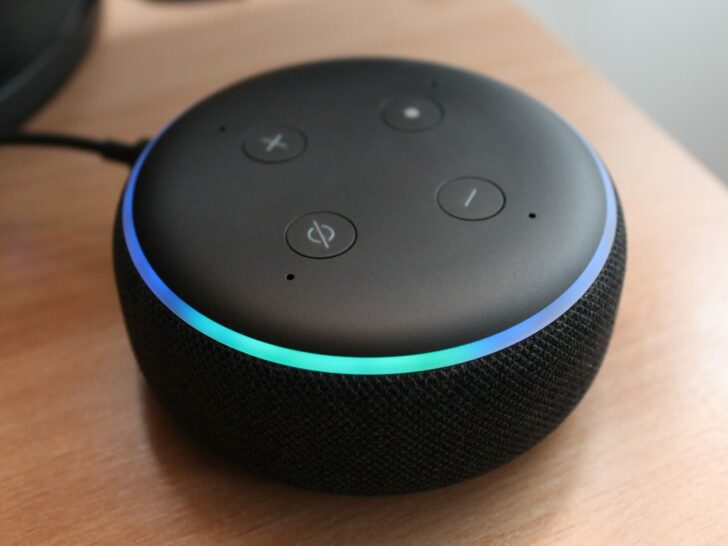
Alexa is one of the most popular inventions of this century, there’s no denying the fact that Alexa is rather a powerful device that has been bestowed upon humankind. It’s not only clever, but it’s also smart at using bandwidth.
ALexa’s average daily usage is roughly 36 MB per day, which equates to 1.08 GB each month for basic interactions such as music streaming, weather updates, and a few instructions.
Furthermore, Alexa is one of the most incredible devices which doesn’t only use less Wi-Fi but also uses less electricity, it only uses them when it’s in command mode, while in standby mode, it’ll only use 7 MB per day and 2 watts per hour.
If you want to know how much electricity and bandwidth are on each command, then keep o reading.
By continuing to use this website you agree to our Terms of Use. If you don't agree to our Terms, you are not allowed to continue using this website.
How Much Bandwidth Is Alexa Using On Each Command?
Alexa uses such a small amount of bandwidth that is too small to even notice, in addition, Alexa uses different bandwidths for different commands, for instance asking a question in general, Alexa will use about 240 kB.


To know the bandwidth for more commands like that, check out the table below:
| Alexa Commands | Data Usage |
| “Alexa, switch on the upstairs lights” | 5 kB |
| “Alexa, switch off the upstairs lights” | 5 kB |
| “Alexa, how’ll be the weather tonight?” | 138 kB |
| Daily background usage, no commands | around 7.5 MB |
| “Alexa, play Soul BBQ Radio from Pandora” | around 30 MB |
So if you’re asking these questions daily, the total daily data usage is up to 36MB, then the total weekly bandwidth will be 252MB, and the total monthly data usage Alexa will use is only 1.08 GB.
Even if you someday give more commands to Alexa, the data usage won’t increase by a GB, and the maximum data that Alexa may use in one month will not be more than 2 GB. However, if you listen to music a lot, the data usage could go up to 3 or 4 GB.
You need to check out this video to learn some interesting facts about Alexa:
Does Having Alexa Slow Down Wi-Fi?
Whether having Alexa slows down your Wi-Fi depends on various circumstances, and the answer isn’t always a simple yes or no. Here’s how it works:
Because Alexa requires a small amount of data for simple instructions and interactions, it does not automatically slow down Wi-Fi. It’s comparable to surfing the web or checking email.
Several variables, however, can contribute to the perception of slowness:
- Increased Network Traffic: Every device connected to your Wi-Fi consumes bandwidth, including Alexa. Streaming music, operating smart home devices, and downloading updates are all data-intensive activities. While Alexa’s use is low on its own, combining it with multiple other active devices might strain your network, especially if you have a limited bandwidth plan.
- Channel Interference: If your Alexa device is connected to the same Wi-Fi channel as other devices or appliances, it may cause interference, resulting in dropped connections and slower speeds.
- Limitations of Routers: An older or outdated router may be unable to meet the needs of several devices adequately, resulting in bottlenecks and slowdowns.


Here are some suggestions to avoid Alexa slowing down your Wi-Fi:
- Monitor your network usage: Check your router’s interface or use a bandwidth monitoring app to see which devices are consuming the most data. This can help you identify if Alexa is contributing to slowdowns.
- Prioritize bandwidth: If you have a restricted data plan, try doing bandwidth-intensive activities like streaming only when connected to the internet via a wired connection.
- Optimize your Wi-Fi network: Select a less congested Wi-Fi channel, update the software on your router, and consider switching to a newer router if necessary.
- Use Alexa’s features effectively: Limit Alexa’s music streaming, utilize voice commands exclusively for necessary activities, and turn off features like “always listening” when not in use.
By following these guidelines, you can guarantee that Alexa does not become a drain on your Wi-Fi network and that it continues to provide a smooth and enjoyable experience.
Did You Know you need about 40 to 100 MB per day for an average use?
Does Alexa Use A Lot Of Electricity?


Alexa became popular in a few weeks, now every other person has this device in their home, however, is it electricity-friendly?
Alexa uses electricity just as it uses data, meaning Alexa uses very less amount of electricity. Alexa is tested to be using only 2 watts per hour, so if it’s plugged in all day, it uses about 48 watts.
Yes, Alexa may be plugged in 24/7, but it’s not using electricity every minute, it only takes up electricity when it’s in command mode.
So basically, it depends on how many commands you’re asking from Alexa. Mind you, if you’re streaming music, then Alexa will be using the electricity until the music is playing.
| Mode | Power Consumption (in Watts) |
| Off Mode (Low Power Mode) | 0.126 |
| Networked Standby (Automatic Sleep Mode, Microphones ON, ambient lights ON) | 1.78 |
| Networked Standby (Automatic Sleep Mode, Microphones ON, ambient lights OFF ) | 2.63 |
| Networked Standby (Automatic Sleep Mode, Microphones OFF, ambient lights ON) | 3.55 |
| Networked Standby (Automatic Sleep Mode, Microphones OFF, ambient lights OFF) | 1.77 |
How Much Bandwidth Does Alexa Use In Standby?
Alexa is created in a very clever way, the developers have thought about all the possible aspects that may be of concern to users. For instance, Wi-Fi is quite important for us to survive a day, however, it’s also slightly more expensive than it should be.
Therefore, before you bought Alexa and brought it home, you must have wondered how much data would this device use.
So basically, when Alexa is in Standby mode, it’s tested to be using only 7 MB per day. As for the data that is used when it’s in command mode, it depends on what you’re asking.


For example, if you’re asking a general question to Alexa, it’ll use 240 kB and if you ask Alexa about the weather, it’ll be using 138 kB to answer your question.
Do Smart Devices Slow Down Wi-Fi?
Your Wi-Fi will slow down with every device you bring into your home, meaning if you keep bringing smart devices like Alexa or Chromecast, your Wi-Fi will slow down.
Nevertheless, you can solve this issue by getting an extender, which will improve performance and provide strong and fast signals. However, if you don’t have many smart devices in your home that are connected to your Wi-Fi, I believe there’s something wrong with your Wi-Fi router.
You can try power-cycling the Wi-Fi router, if that doesn’t fix the speed, then you should consider resetting it, which is done by the Pinhole, which can be located on the back of the device.


All you need to do to reset your Wi-Fi router is, locate the Pinhole on the back of the device, bend a paperclip to straighten it, now you need to insert the clip into the pinhole, and press until you feel a click, then after 15 seconds, the device will turn on.
Nevertheless, it couldn’t be Alexa slowing down your Wi-Fi speed because Alexa only uses data when it’s in command mode.
Frequently Asked Questions
Can Alexa run an internet speed test?
When you link your DSLReports.com account to Alexa, she can tell you the results of your most recent speed test. Upon downloading and installing an application on Windows, OSX, or Linux, Alexa can launch a fresh test and provide you with the outcomes. In addition, Alexa can check the stability of your connection and tell you the most recent ping.
Is Alexa internet-dependent?
There are a few actions you can take to utilize your Alexa as a Bluetooth gadget in case you don’t have Wi-Fi at home or are going on holiday. Without Wi-Fi, there are two methods to use Alexa: Employ a portable hotspot. Link Alexa to your Bluetooth device.
Do you pay Alexa a monthly fee?
All you need to do to use Alexa is have an established Amazon account; there are no ongoing costs. Although having Amazon Prime, which costs money each month, makes Alexa function more effectively, it’s not necessary to have it; she can still function just fine without it.
Final Thoughts
- Alexa on average uses only 36MB per day if you don’t play music, however in that case one hour of streaming will use about 100MB.
- Alexa is a smart device that doesn’t only use the least amount of bandwidth but also uses less electricity.
- Alexa will only use electricity when it’s in command mode, so as long as you’re asking Alexa to do something, it’ll be using electricity.
- Moreover, it also depends on the device, if you use the Echo Dot, then it’ll be using 1.40 watts when in Standby mode, and when it’s in command mode, it’ll be using 2.04 watts, so it’s up to you to save electricity.
- The more smart devices you bring and connect to your home Wi-Fi, the slower it’ll work, however, if you don’t have so many devices connected, then the router needs to be power-cycled or reset.
- However, there’s no chance that Alexa is slowing down your Wi-Fi because if you keep Alexa in standby mode all day, it’ll only use 7MB.